



Search CCTV by action, not by camera and timestamp
Human Action
Recognition for Retail
WiseVizer’s human action recognition detects configured actions in existing retail CCTV, extracts relevant event clips, describes what happened in natural language, and makes those events searchable. Teams can search for actions such as “a person is grabbing an item” instead of reviewing hours of footage.
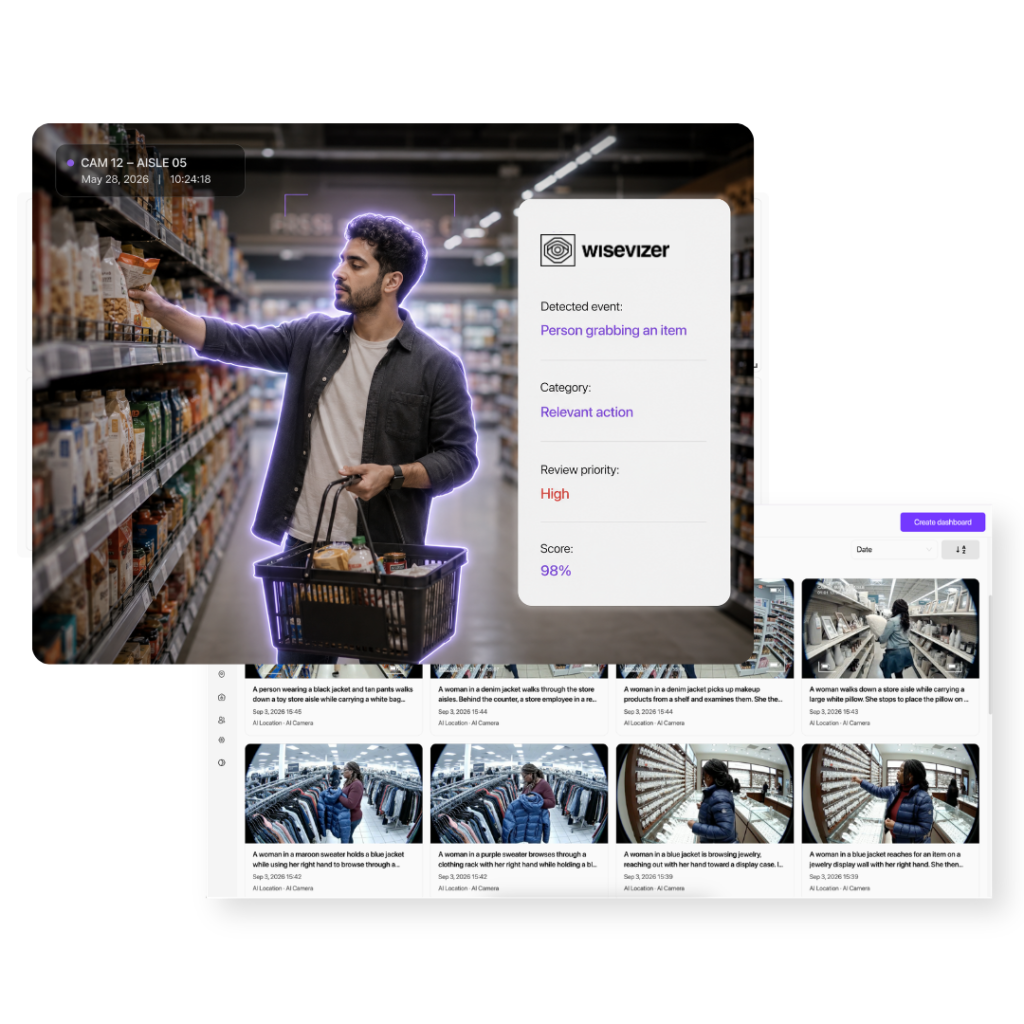
How WiseVizer turns detected actions into searchable events
WiseVizer analyzes existing CCTV streams for action patterns the deployed model has been trained to detect. When a match is found, the system extracts a short event clip, generates a natural-language description, and adds the event to the Human Action Recognition dashboard for filtering and review.
Here’s how it works:
- Detect: identify a configured human-action pattern.
- Capture: extract a short clip around the event.
- Describe: generate a natural-language description of what happened.
- Search: filter events using an action query, camera, location, date, or confidence level.
- Review: open the matching clip or trigger an alert workflow when configured.
Action search
Search detected events using queries such as “a person is grabbing an item” instead of checking cameras manually.
Clip descriptions
Turn short event clips into natural-language descriptions that explain what happened.
Relevant results
Filter events by action, camera, location, date, and confidence to narrow the clips that need review.
What actions can WiseVizer detect?
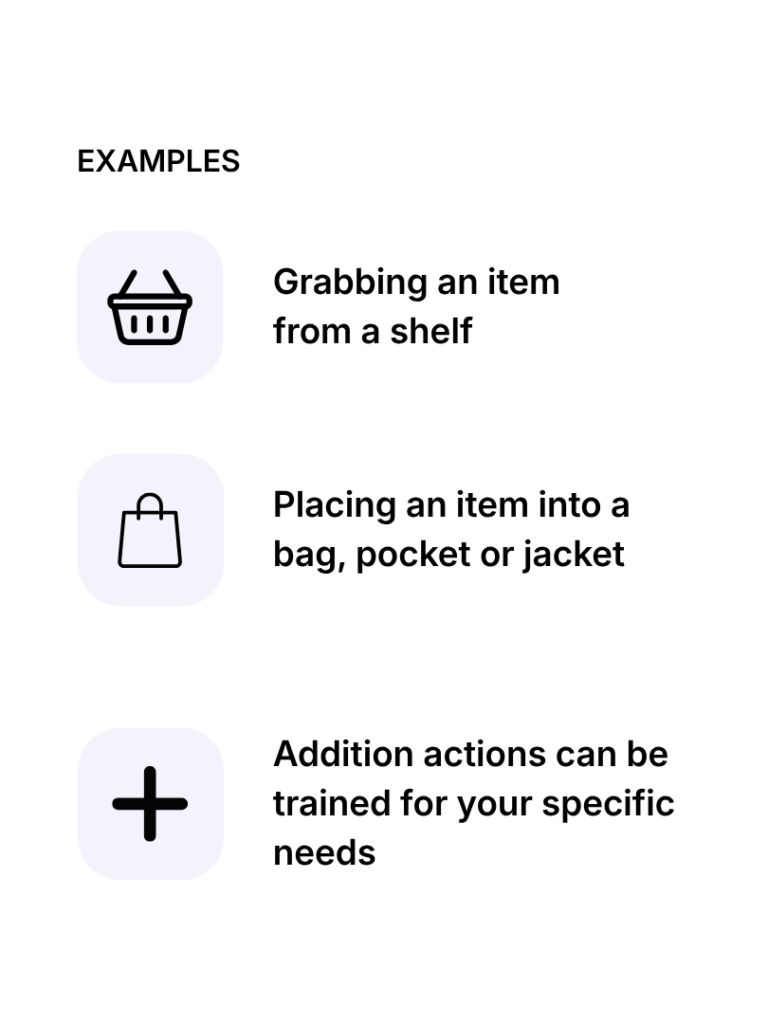
WiseVizer detects action patterns that the deployed model has been trained to recognize. Current examples include grabbing an item and placing an item into a bag, pocket, or jacket. Additional actions can be trained for specific retail requirements. Available actions depend on the model, camera setup, and deployment configuration.
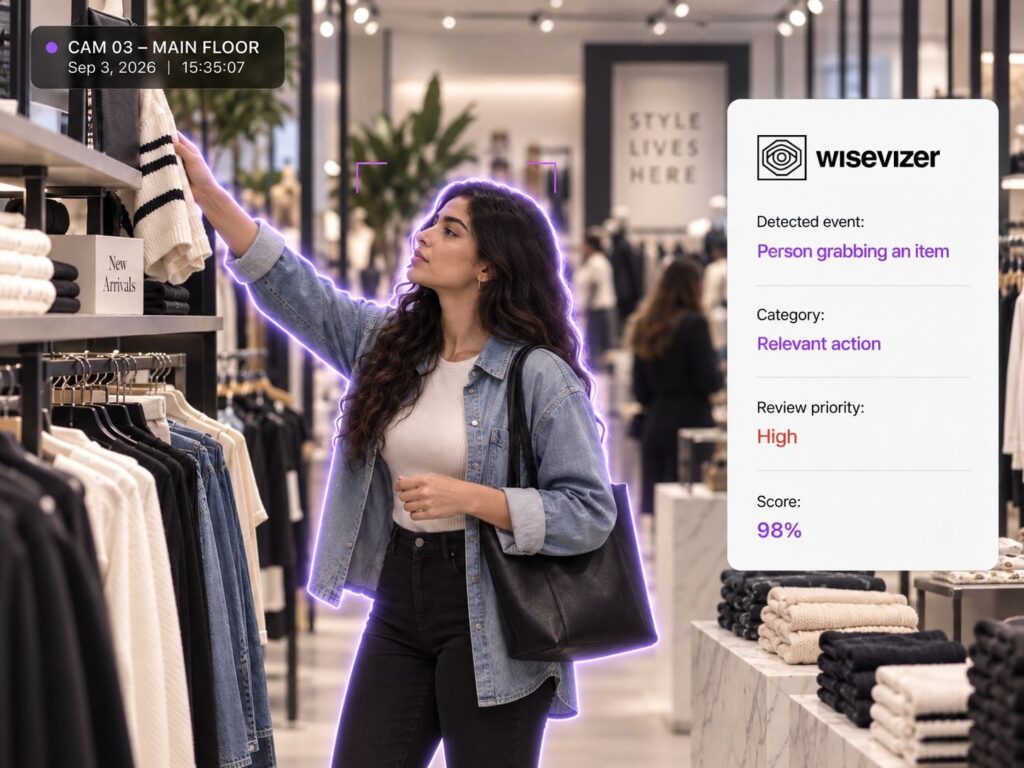
Search detected actions using natural language
Natural-language filtering
Type what you’re looking for, such as “a person is grabbing an item” or “a person is opening a bag”. Our system returns matching clips with confidence scores so you can review quickly.
On-device processing
Action detection runs locally on edge hardware connected to the store’s CCTV infrastructure. When a configured event is detected, only the relevant short clip is passed to the description stage instead of continuously sending CCTV footage for review.This reduces bandwidth, protects privacy, and keeps review workflows fast and reliable.
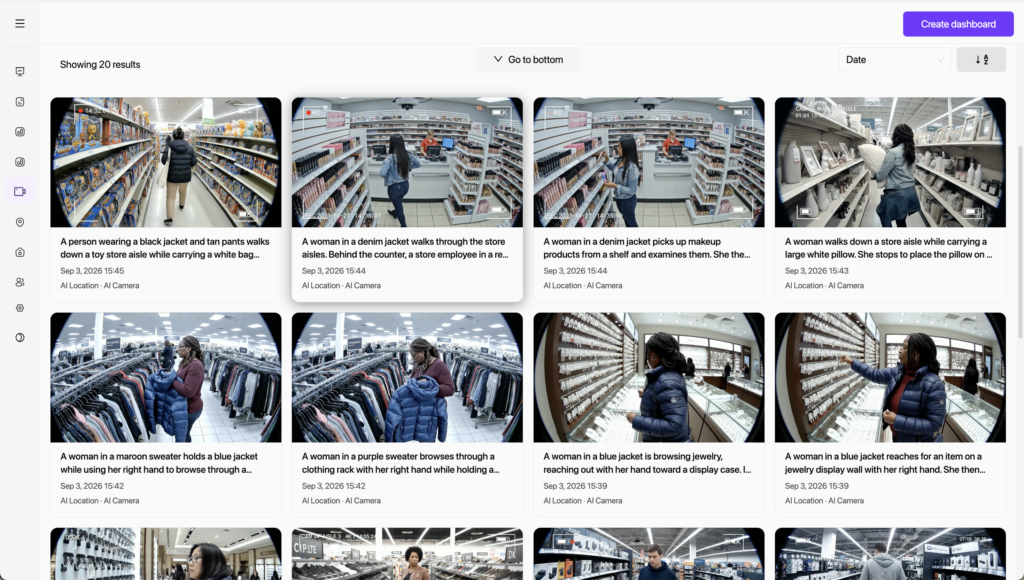
Live and historical review
Review actions from live streams or past recordings across any area in your store. Jump to the exact moment an action happened and watch the short clip in context.
How WiseVizer turns detected actions into searchable events
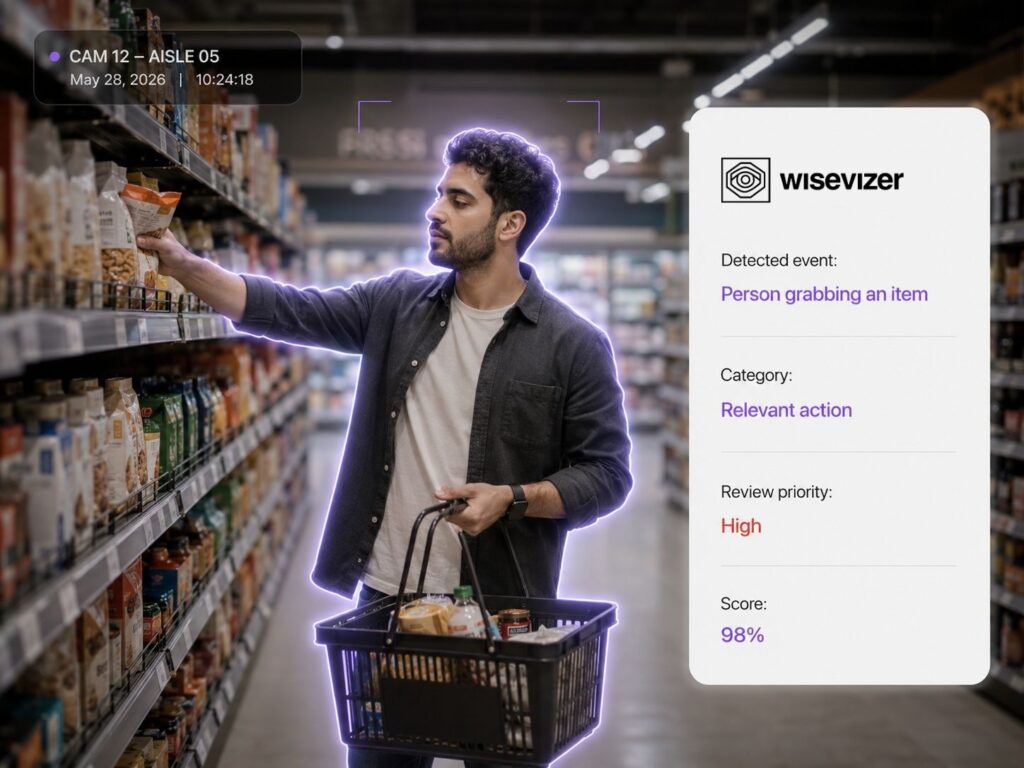
WiseVizer analyzes existing CCTV streams for action patterns the deployed model has been trained to detect. When a match is found, the system extracts a short event clip, generates a natural-language description, and adds the event to the Human Action Recognition dashboard for filtering and review.
Here’s how it works:
- Detect: identify a configured human-action pattern.
- Capture: extract a short clip around the event.
- Describe: generate a natural-language description of what happened.
- Search: filter events using an action query, camera, location, date, or confidence level.
- Review: open the matching clip or trigger an alert workflow when configured.
Action search
Search detected events using queries such as “a person is grabbing an item” instead of checking cameras manually.
Clip descriptions
Turn short event clips into natural-language descriptions that explain what happened.
Relevant results
Filter events by action, camera, location, date, and confidence to narrow the clips that need review.
What actions can WiseVizer detect?
WiseVizer detects action patterns that the deployed model has been trained to recognize. Current examples include grabbing an item and placing an item into a bag, pocket, or jacket. Additional actions can be trained for specific retail requirements. Available actions depend on the model, camera setup, and deployment configuration.
Search detected actions using natural language
Natural-language filtering
Type what you’re looking for, such as “a person is grabbing an item” or “a person is opening a bag”. Our system returns matching clips with confidence scores so you can review quickly.
On-device processing
Action detection runs locally on edge hardware connected to the store’s CCTV infrastructure. When a configured event is detected, only the relevant short clip is passed to the description stage instead of continuously sending CCTV footage for review.
Live and historical review
Review actions from live streams or past recordings across any area in your store. Jump to the exact moment an action happened and watch the short clip in context.
What this helps you improve
Understand what happens in video with human action recognition.
Incident & loss prevention
Find and review specific or risky actions faster to investigate incidents and support loss prevention workflows.
Team efficiency
Reduce manual video review so teams can focus on higher-impact tasks and respond faster when relevant events need attention.
Store visibility
Understand recurring behaviors across stores with consistent action data, making it easier to compare locations and spot operational patterns.
Frequently Asked Questions
What is Human Action Recognition in retail?
Can WiseVizer search CCTV using natural language?
Can WiseVizer detect shoplifting?
Can WiseVizer monitor multiple stores?
Is WiseVizer available for retailers in the UAE?
Review fewer clips.
Find more relevant events.
Let’s Bring AI to Your Business
For inquiries, demos, or partnerships, reach out to us:
Business Bay Opal Tower, Office 101-03, Dubai, UAE